How to Check SIM Card Registration Reference Number Globe
Did you just register your Globe SIM and instantly lose that important text message? Don’t worry, it happens to the best of us! People accidentally delete their messages every single day. Finding your SIM card registration reference number is actually pretty easy once you know where the secret hiding spots are.
We are going to walk through exactly how to check your SIM card registration reference number for Globe. Grab your phone, take a deep breath, and let’s get that missing code back. I promise this won’t take long at all, and you don’t need to be a tech expert to do it!
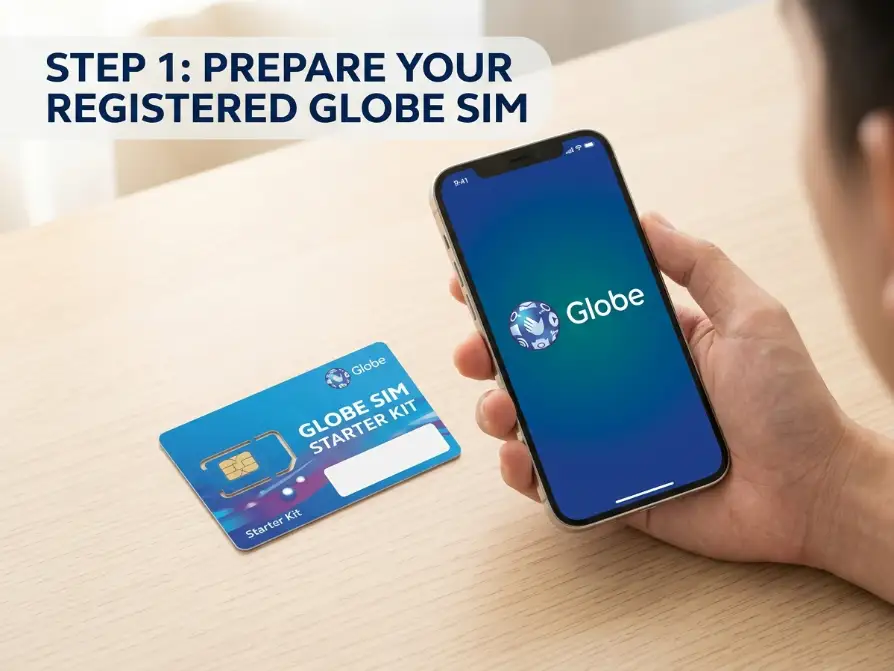
Why You Absolutely Need Your Reference Number
Think of this reference number as your official digital receipt. It is absolute proof that you followed the law and registered your number under your real, legal name. Without it, things can get really messy if your signal suddenly drops or Globe asks for verification out of nowhere.
You might also need this special code if you ever lose your phone. It helps you request a replacement SIM card with the same number. It keeps your identity completely safe from annoying scammers and hackers. Start your official registration or check your current SIM status by visiting the main Globe SIM registration portal.
Checking Your Default Text Messages
This is the absolute most obvious place to look, but people always forget it! Open your main messaging app on your phone right now. Use the handy search bar located at the very top of your screen to dig through the clutter.
Type in the word “globe” or “registration” and hit enter. Look closely for a message sent from an official Globe sender name like “GLOBE” or “8080.” It usually says “Success!” and has a long mix of capital letters and numbers sitting right in the middle of the text.
Searching Through Your Email Folders
Did you type in a personal email address when you filled out the form? Globe loves sending a backup copy of your reference number straight to your inbox. It is a fantastic safety net for situations exactly like this.
Open your Gmail or Yahoo app right now. Check your Spam, Junk, or Promotions folders immediately. Sometimes the official Globe email gets trapped in those weird folders by mistake! Just type “Globe SIM Registration” in the top search bar.
If you use alternative mobile brands, you might be wondering is GOMO under Globe and whether it shares the exact same SIM registration system.
If you lose your registration reference number or encounter an error during the verification process, contacting Globe customer service is the fastest way to get your account sorted.
Using the Official GlobeOne App
The GlobeOne app is an absolute lifesaver for managing your personal account. If you linked your current number to this app before or after registering, your status is saved right there. It is the easiest way to double-check things.
Open the app and look at your main profile dashboard. It will clearly show if your SIM is active, fully verified, and good to go. It might not show the full long code, but it absolutely proves you are officially registered in their internal system.
Once your SIM is successfully registered, configure a fast APN for Globe to ensure you get the best mobile data speeds for browsing.
Asking for Help on Social Media
Globe has a very active and super helpful customer support team on Facebook Messenger and X (formerly Twitter). This is usually way faster than waiting on hold during a phone call. And it is completely free to do.
Send them a polite direct message right now. Explain clearly that you lost your reference number and need it back. They will simply ask for your mobile number and a picture of the basic ID you used to verify your identity.
Visiting a Physical Globe Kiosk
If you really hate chatting with automated bots online, just walk right into a real store. You can find official Globe stores or tiny kiosks at almost every local mall. Make sure to bring the exact valid ID you used during your online registration.
The friendly staff at the customer service desk can look up your account in seconds. They will just verify your face matches the ID card. After that, they can print out your full registration details right there on the spot.
After officially securing your number under your name, you can easily upgrade your prepaid line to one of the latest postpaid Globe plans directly through the app.
What If You Deleted the Text Message?
Uh oh. Did you accidentally hit the little trash can icon? Or maybe you had to hard reset your phone and lost all your old messages. Do not panic at all. Your SIM is not going to get deactivated just because you lost a tiny text message.
Your registration data is safely stored on Globe’s massive secure servers. You just need to ask them nicely to pull it up for you. There are a couple of super easy ways to get help from a real human being today.
Understanding the SIM Registration Law
Why are we even doing all of this? The government passed a strict law requiring every single person to attach their real identity to their phone number. It is a massive project meant to stop crime.
Before this law, anyone could buy a cheap prepaid SIM at a corner store. Scammers used those untraceable numbers to trick people and steal money. Now, the government knows exactly who owns every single active number.
How the Government Protects You
Forcing everyone to register, it makes your daily life much safer. Text scams and weird spam calls have dropped massively since the law started. Criminals are actually scared to use their phones now.
If someone tries to send you a fake bank alert, the police can easily track them down using the Globe database. Your registered number acts like a digital shield. It keeps the bad guys far away from your personal inbox.
If you are registering a Home Prepaid WiFi SIM, you should also take a moment to change Globe WiFi password to keep your newly registered local network secure.
The Real Risk of Unregistered SIMs
What happens if you just ignore the rules? If you completely forget to register, Globe will completely shut your number down. This is called deactivation, and it is a huge headache to deal with.
You will instantly lose all your unused prepaid load and expensive promo packages. You won’t be able to call your family, send emergency texts, or browse the internet. It turns your expensive smartphone into a useless piece of glass and plastic.
Registering a Postpaid Globe Account
Do you pay a monthly bill for your phone? If you are a postpaid user, things are incredibly easy for you. You actually don’t need to fill out any long, annoying online forms.
Globe already collected all your IDs, billing address, and personal info when you signed your contract. They automatically registered your SIM card for you! You can just sit back and relax knowing everything is handled.
Can You Register Multiple Phone Numbers?
Yes, you absolutely can! Many people have a personal phone, a work phone, and a pocket Wi-Fi device. You are legally allowed to own multiple SIM cards.
You just have to repeat the same registration process for every single number. You will use the same government ID and the same personal details. Just make sure to save the different reference numbers for each device!
Losing Access to Your Digital Wallets
This is the scariest part for most people. If your unregistered SIM gets blocked, you lose access to your money. Almost everyone links their mobile number to GCash, Maya, or their actual bank accounts.
Without your active phone number, you cannot receive the OTP (one-time password) needed to log in. Your money gets trapped inside the app. You need an active, registered SIM to keep your digital wallet working smoothly.
Is the Official Globe Portal Actually Free?
Yes. The registration process does not cost a single penny. Globe provides its website and service completely free of charge to all its customers. You do not need to buy prepaid load to do this.
If someone sends you a link asking for a “processing fee” to register your SIM, it is a total scam. Run away immediately! Only use the official link provided on the Globe website or inside the GlobeOne app.
What to Do If the Website Crashes
Millions of people try to use the website at the same time. Sometimes, the server just gets totally overwhelmed and crashes. The page might freeze or give you an annoying “Error 504” message.
Do not panic and do not smash your phone. Just close your web browser entirely. Wait a few hours, or try again late at night when most people are sleeping. The website is usually much faster when it isn’t crowded.
Checking Your Current Network Signal
Sometimes you don’t even need to find the actual code. You just need the peace of mind knowing your SIM won’t be cut off. A lot of people stress about this registration stuff for absolutely no reason.
Look at the top corner of your phone screen. If you have full signal bars and the 4G or 5G logo is showing, you are in great shape. Unregistered SIMs were completely blocked from the network months ago.
Fixing ID Upload Errors Fast
The most common problem people face is uploading their ID picture. The website will reject your photo if it is too blurry, too dark, or if the file size is way too huge.
Take your ID outside into the natural sunlight. Put it on a flat, dark table. Wipe your phone’s camera lens with your shirt, then take a super-crisp photo. Make sure there is no annoying glare covering your name or face.
Tips for Saving Your Registration Code
Once you finally get that reference number back, do not lose it again! You need to treat it like a top-secret password or a bank PIN. Keeping your digital identity secure is super important today.
Take five minutes right now to back it up properly. Trust me, your future self will thank you for doing this simple task. It prevents massive headaches down the road.
Testing Your Mobile Data Connection
Want to be 100% sure you are safe? Turn off your home Wi-Fi right now. Turn on your mobile cellular data and try to open a random YouTube video.
If the video plays smoothly without any annoying buffering, your SIM is fully active and registered. Globe completely cuts off data access for anyone who broke the rules. A working internet connection is the best proof you have.
Taking and Hiding Screenshots
The absolute fastest way to save it is to take a screenshot. As soon as the “Success” message pops up, press your power and volume buttons. Snap a picture of the screen instantly.
But don’t just leave it in your messy camera roll! Move that picture into a special “Hidden” or “Locked” album on your phone. Or favorite the image so you can find it in two seconds when you actually need it.
Writing Your Code in a Safe Notebook
Technology fails all the time. Phones drop in the toilet. Hard drives crash. The best backup system in the world is still an old-fashioned pen and paper.
Write the long code down carefully in a physical notebook. Tuck that piece of paper inside your actual wallet, or keep it in your desk drawer at home. If your phone completely dies, you still have the hard copy safe and sound.
Registering a Prepaid Globe Number
Prepaid users have to do a little more work. Because you bought the SIM card from a random store without showing an ID, Globe has no idea who you are. You must use their online portal to fix this.
- Connect to a strong Wi-Fi network first.
- Go to the official Globe SIM registration website.
- Take a clear, bright picture of your valid government ID.
- Take a quick selfie to prove you are a real human.
Final Checklist for Globe Users
We covered a lot of ground today! Let’s do a super quick review to make sure your network connection is totally safe. First, double-check your GlobeOne app to confirm your active status.
Second, dig up that reference number from your old texts or emails. And finally, lock that code away safely using a screenshot or a physical notebook. Once you do those three things, you are fully protected.
Conclusion
Losing your Globe SIM registration reference number feels super stressful, but it is really a quick fix. Whether you dig through your old text messages, check your email spam folder, or just ask the friendly staff at a physical Globe store, you can get it back easily.
Just remember to take a screenshot or write it down on a piece of paper next time! Keeping your digital identity secure is exactly what keeps your internet connection running smoothly. Now go enjoy your fast, uninterrupted mobile data without any worries!