How to Get and Use Free Go5G in Globe: Activate SIM, Claim Promos & Enjoy 5G
If you are a Globe user, you will enjoy the Free Go5G promo. It provides you with ultra-fast 5G internet at no additional cost. With Go5G, you can enjoy smoother streaming, quicker downloads, and lag-free gaming on your 5G-ready device. This offer is ideal for those who want to experience the power of 5G speed before committing to a paid plan.
This article explains how to use Free Go5G with Globe. We will cover who can use it and the easy steps to activate it via the GlobeOne app or GCash.
What is Globe Go5G?
Globe Go5G is a special add-on that lets users experience ultra-fast 5G internet speeds. It boosts your data connection. This enables you to browse, stream, and play games more smoothly and quickly.
This feature is for Globe Prepaid, Postpaid, and Globe at Home Prepaid WiFi users. You need a 5G-ready SIM and a 5G-capable device. Globe Go5G lets you enjoy faster internet speeds and better performance at no extra cost when the service is available.
Key features of Globe Go5G:
- Access websites, apps, and files almost instantly with lightning-fast browsing and download speeds.
- Enjoy smooth HD video streaming with less buffering on platforms like YouTube, Netflix, and TikTok.
- Low-latency online gaming gives you faster response times. It reduces lag and boosts competitive Gameplay.
- A strong and dependable connection, even at peak times. This guarantees steady performance when the network gets busy.
Benefits of Free Go5G in Globe
Using Free Go5G gives Globe users many advantages, including:
- Super-fast internet for browsing, social media, and messaging
- Watch videos and movies in HD without buffering
- Smooth online gaming with low lag and minimal delay
- Quickly download and upload files using 5G speeds
- Stable connection even in crowded or busy areas
- Better video calls and online meetings with fewer interruptions
- Faster app updates and software downloads
- Enjoy a complimentary 5G experience without extra cost
- Compatible with Globe Prepaid, Postpaid, and Globe at Home users
- Improved performance when you move to a location with a stronger Globe 5G signal
How to Check If Free Go5G Is Active
You can easily confirm if your Free Go5G data is working using the following methods:
- Check the 5G icon on your phone’s signal bar
- Open the GlobeOne app and check your data balance
- Run an internet speed test to verify faster speeds
If the 5G symbol appears on your device, it means your phone is connected to Globe’s 5G network.
Tips to Get the Best Speed With Globe 5G
To enjoy the best 5G performance, follow these tips:
- Use your phone in open areas with a strong signal
- Keep your phone software updated
- Close background apps that use data
- Avoid heavy network congestion during peak hours
- Restart your phone occasionally to refresh the network connection
Common Problems With Free Go5G (And Fixes)
Users may occasionally encounter minor issues when using Free Go5G on Globe. These problems can arise from a weak signal, incorrect phone settings, or device compatibility issues. Most of these issues are easy to solve with a few simple steps.
Below are common issues and quick fixes to help restore your Globe 5G connection.
5G Signal Not Showing
If the 5G icon does not appear on your phone, it likely means your device is not connected to a Globe 5G signal. This may occur if you are in an area with limited 5G coverage. Try moving to a location with Globe 5G coverage, turn your mobile data off and back on, and restart your phone to refresh the network connection.
Phone Not Connecting to 5G
Sometimes a phone may fail to connect to 5G even when the signal is available. This usually occurs when the device does not support 5G connectivity or the 5G option is disabled in the network settings. Make sure your smartphone is 5G compatible, your Globe SIM supports 5G, and that 5G mode is enabled in your phone’s mobile network settings.
Slow 5G Internet
If your 5G internet feels slow, the problem may be caused by a weak signal, network congestion, or apps running in the background. Try restarting your phone, resetting your network settings, or moving to an area with a stronger Globe 5G signal. Closing apps that use a lot of mobile data can also help improve your internet speed and overall Go5G performance.
Who Can Use Free Go5G?
The Free Go5G offer is available to Globe users who meet specific eligibility requirements.
Here are the users who can qualify:
- Go+ Promo Users: Users subscribed to Go+ promos that include free 5G data
- 5G SIM Users: A Globe SIM that supports 5G technology is required
- 5G Device Owners: Smartphones or modems must support 5G connectivity
- Users in 5G Coverage Areas: Globe must have an active 5G signal in your location
- Active Data Promo Users: A valid Go+, GoSURF, or GoSAKTO promo must be active
Valid Globe Accounts: Available for Prepaid, Postpaid, and Globe at Home Prepaid WiFi users
Requirements to Use Free Go5G in Globe
Before you can use the Free Go5G promo, you must meet a few important requirements.
- 5G-compatible smartphone or modem
- Globe 5G SIM card
- Active Globe data promo that includes 5G data
- Location within Globe’s 5G coverage area
- Updated phone software and network settings
If these requirements are met, your device will automatically connect to the Globe 5G network when available.
If you are exploring other 5G options that utilize the same ultra-fast towers, you might be wondering is GOMO under Globe for seamless connectivity.
How to Avail Free Go5G on Globe
You can enjoy free 5 G by registering for selected Globe Go+ promos that include a 5G data freebie. Go+ plans such as Go+129 and Go+149 include free 5G data. You can activate them via the GlobeOne app or GCash.
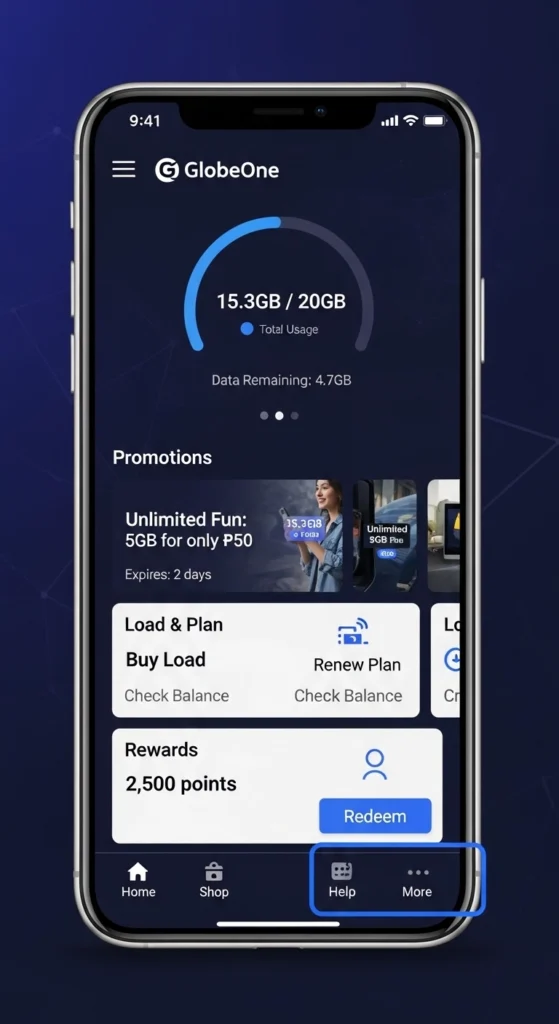
Via GlobeOne App
- Open the GlobeOne app.
- Log in using your Globe Prepaid number.
- Tap Buy Promos.
- Choose any Go+ promo that comes with free 5 GB data (e.g., Go+129 gives 26 GB total with free 8 GB 5 GB).
- Tap Subscribe or Buy.
- Wait for a confirmation text from Globe. You will receive two messages:
- One for your promo registration and another to confirm your free 5 GB of data.
Via GCash
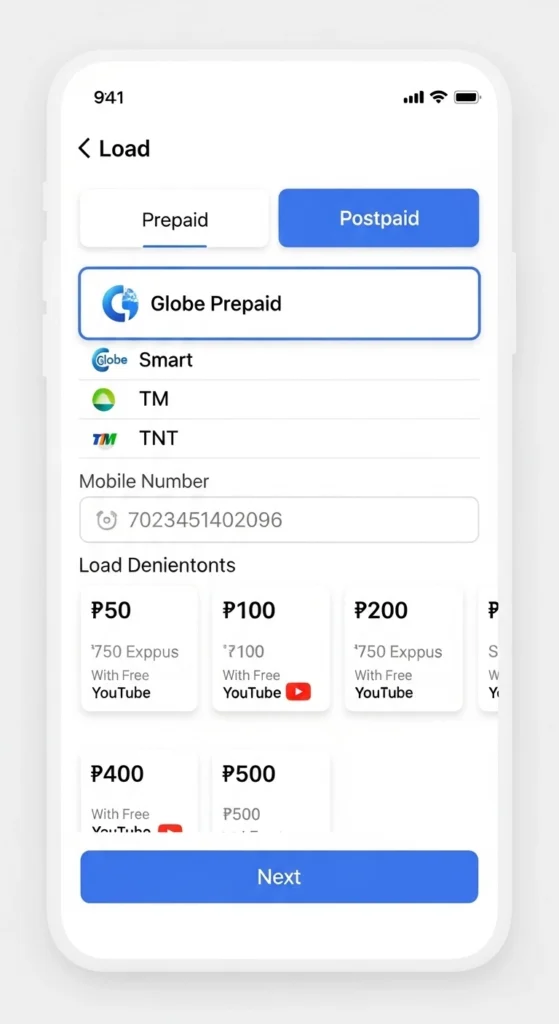
- Open the GCash app and tap “Load.”
- Select Globe Prepaid and enter your number.
- Go to the Go+ Promos tab.
- Select a Go+ promo that includes free 5G (please review the promo details carefully).
- Pay via GCash balance and wait for your confirmation text.
Note: The free 5 GB data allocation and its validity vary by Go+ promo. Always check the Globe website or app for updated offers.
5G SIM and Freebies: What New Users Get
If you’re a new Globe Prepaid 5G SIM user, you can enjoy extra freebies on top of your Go+ 5G offers. These bonuses are part of Globe’s 5G SIM-free program. For details on registering your Globe SIM, check our Globe SIM registration guide.
Welcome Freebie
After activating your 5G SIM, you can claim your first freebie by:
- Using the GlobeOne app to claim it, or
- Texting FREE to 8080 from your Globe number
Inclusions of the Welcome Freebie (Go59 promo):
- 5GB all‑site data: use on any website or app (social media, streaming, gaming, browsing)
- Unlimited all‑network texts: send SMS to any network without extra cost
- 3‑day validity: lasts 3 days from activation
This welcome freebie is credited automatically when claimed, giving new users a head start on 5G browsing and texting.
Recurring Monthly Freebies
After the welcome freebie, you may qualify for monthly recurring freebies if you continue using your SIM:
- Spend at least ₱300 load per month
- Maintain this spending for three consecutive months
Once qualified, you will receive the same Go59 freebie each month, giving 5GB all-site data + unlimited texts automatically.
Possible Freebie Inclusions
Depending on Globe’s current promos and bundles, freebies may include:
- 5GB all‑site data
- Unlimited all‑network texts
- 3-day validity
- Occasionally, an extra 1GB for 5G use or additional data may be included in special SIM bundles
These freebies are designed to let new 5G SIM users start using Go5G immediately without additional costs.
Tip: Always check the GlobeOne app or the official Globe website for the latest freebies and promo updates, as data allocations may change over time
Should you encounter any technical errors while trying to claim your free Go5G promos, quickly contact Globe customer service for activation assistance.
Conclusion
The Globe Free Go5G promo lets users enjoy ultra-fast 5G internet at no additional cost. By subscribing to selected Go+ promos through the GlobeOne or GCash app, you can experience faster browsing, smoother streaming, lag-free gaming, and quicker downloads.
Just make sure your SIM card is 5G-enabled, your device supports 5G, and you are located in a Globe 5G coverage area. Once everything is set up, you can activate your Go+ promo and enjoy the full speed and power of Globe’s Free Go5G service.
Frequently Asked Questions
How do I get Free Go5G?
Subscribe to a Go+ promo that includes free 5G data using the GlobeOne app or GCash.
Who can use Free Go5G?
Globe users with a 5G SIM, 5G device, and an active Go+ promo in a 5G coverage area.
Can I use Free Go5G on 4G phones?
No. Free Go5G only works on 5G-capable devices.
How much free 5G data will I receive?
The amount depends on the Go+ promo you choose.
Can Postpaid users get Free Go5G?
Yes. The offer is available for Prepaid, Postpaid, and Globe at Home Prepaid WiFi users.
How long is Free Go5G valid?
The validity period depends on the promo you subscribe to, typically 1 to 7 days.
Can I use Free Go5G outside my area?
No. You must be in a Globe 5G coverage area to enjoy 5G speeds.